Preferences
The Preferences dialog will allow you personalize and define many of the characteristics that control operation within the ClickRight client. Below we will discuss the options as they appear on each tab within the Preferences interface.
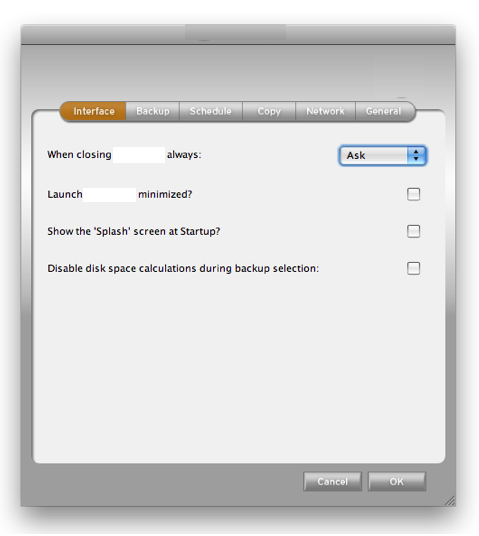 |
Interface - Define how ClickRight should behave: a) when closing; b) when being launched; and c) whether or not you would like the 'splash' screen to appear at startup. |
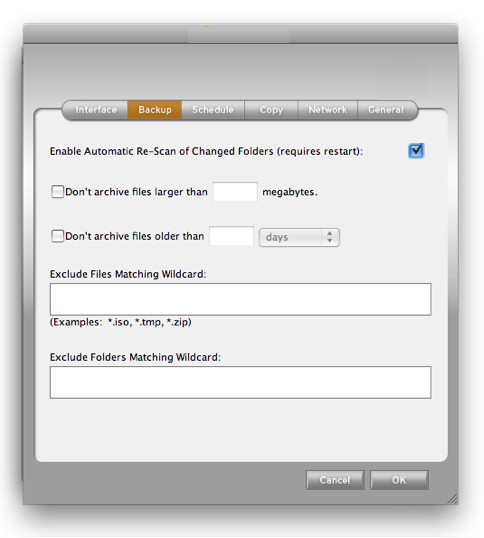 |
Backup - Define if ClickRight: a) should not archive files over a certain size, b) should not archive folders older than a certain date, c) should increase or decrease the interval between manual scans, and d) should prevent specific files or folders matching certain Wildcards should be included in your backup set. |
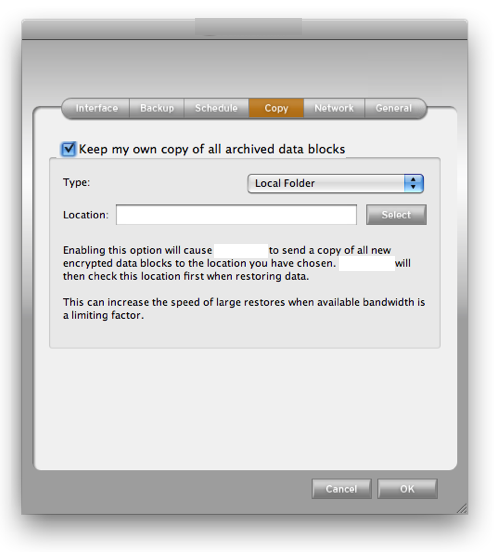 |
Copy - This feature will allow you to specify a local drive, a network folder, or your FTP or SFTP server as a secondary place to store the encrypted data blocks ClickRight creates. This location does not need to be secure as the data blocks will remain encrypted - just as they are stored in the ClickRight Cloud. In addition to providing a local copy of the all of the data stored within ClickRight, this option will drastically increase large restores and downloads as ClickRight will check with the local copy before downloading a folder or file from the ClickRight Cloud. |
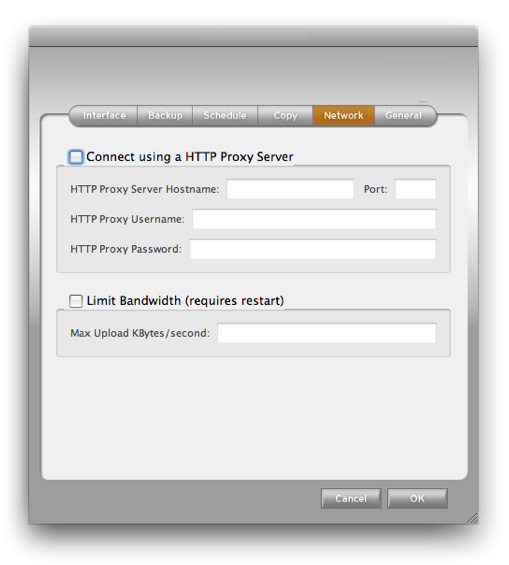 |
Network - Define how you would like to: a) make a connection to ClickRight via a proxy server; and b) manage the amount of upload bandwidth ClickRight has access (measured in Kilobytes per second). |
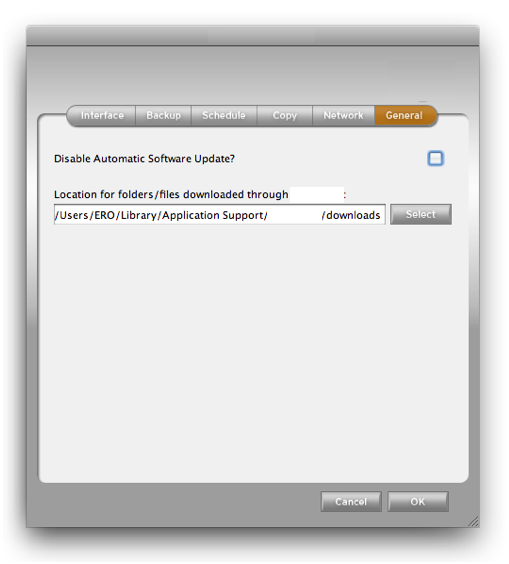 |
General - Define how you would like to: a) make a connection to ClickRight via a proxy server; and b) manage the amount of upload bandwidth ClickRight has access (measured in Kilobytes per second). |